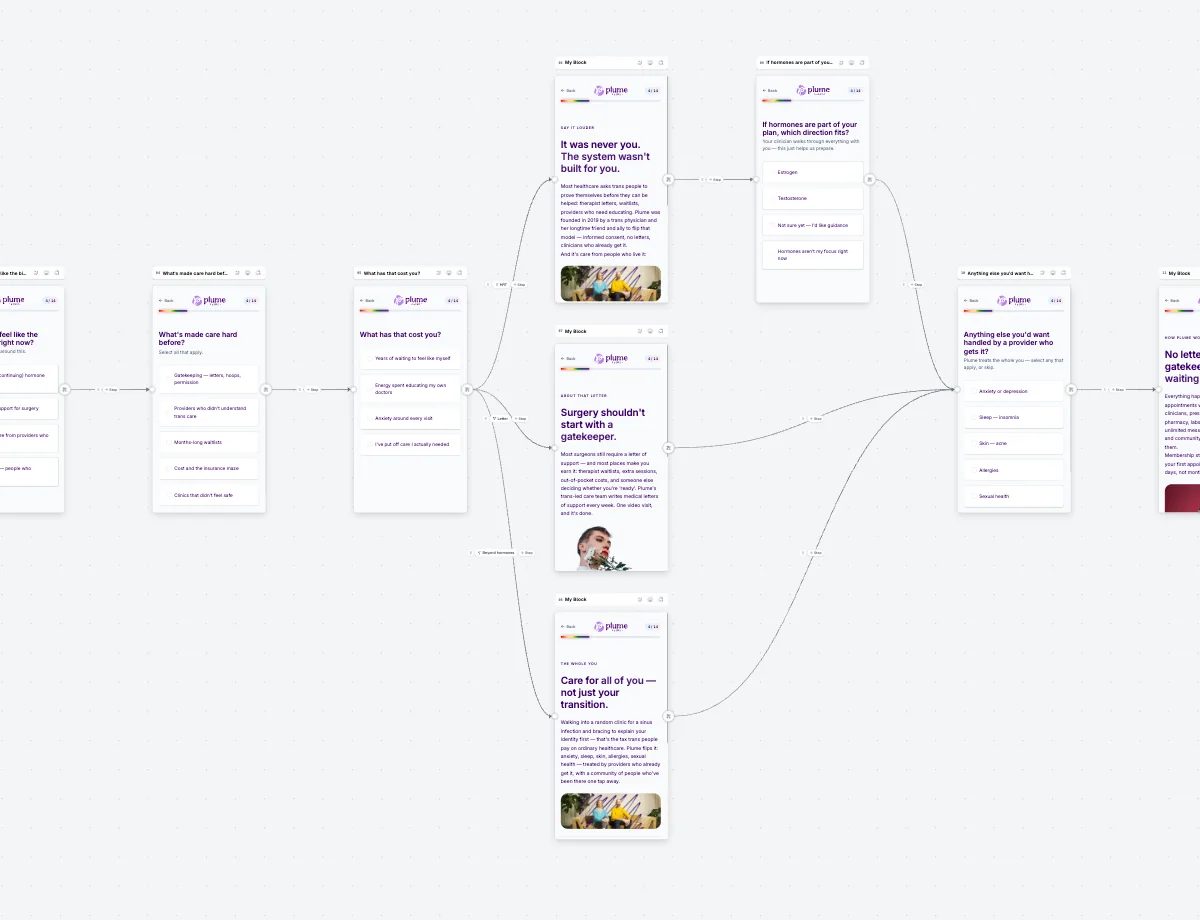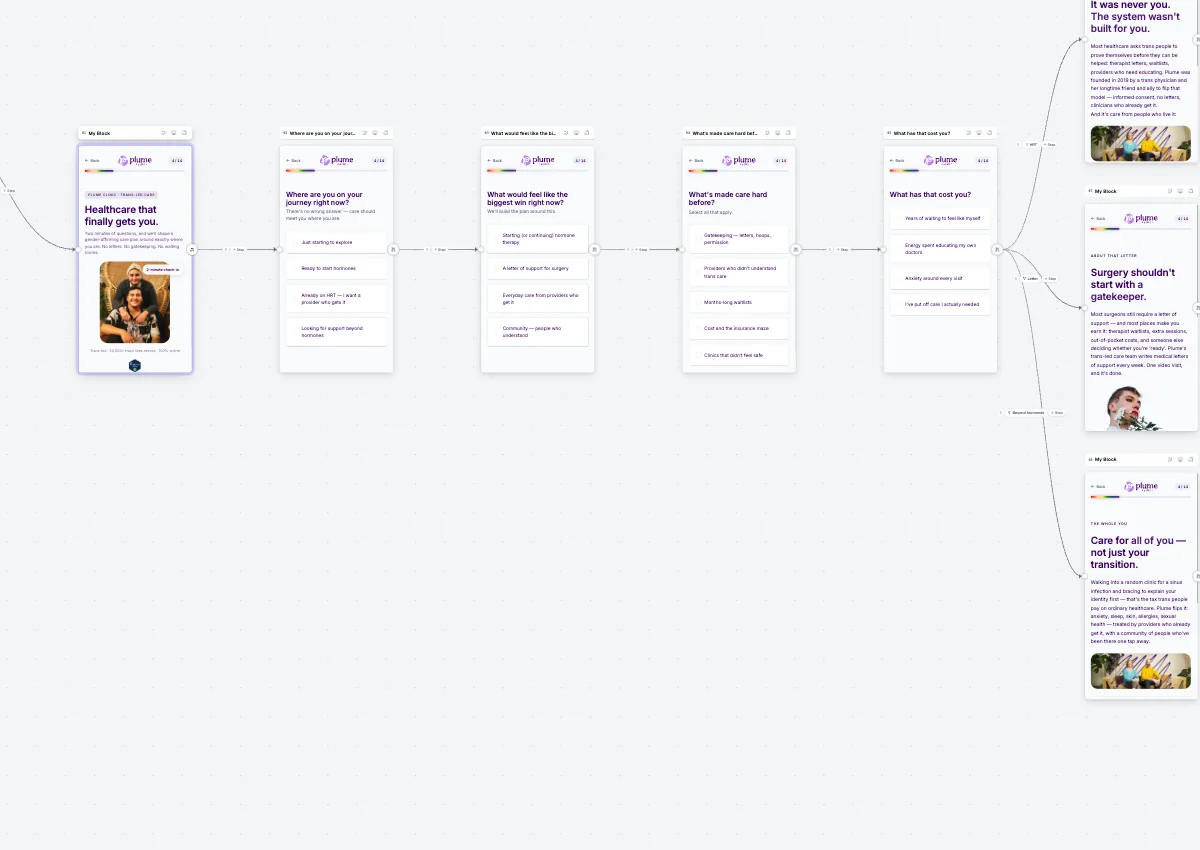
Design your entire patient journey in one canvas.
Eligibility, intake, consent, and checkout assembled like slides in a deck. Route patients based on answers, without engineering.
Visual editor
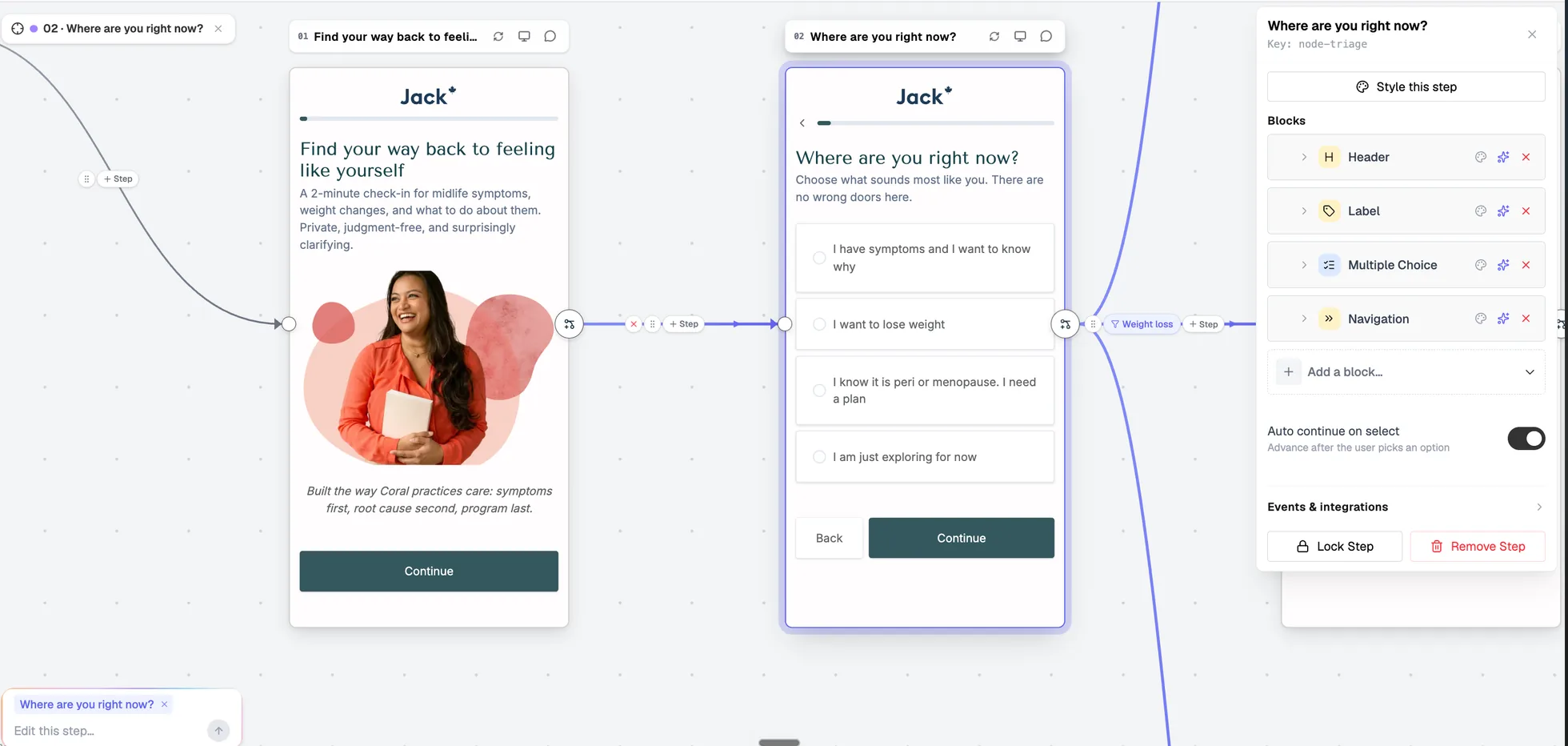
Assemble steps, question types, and content blocks. Add, reorder, or remove without a dev ticket.
Logic & routing
Branch by eligibility criteria, answers, or patient intent. Route automatically to the right outcome.
Consent & disclosure
Add timestamped consent acknowledgements at the right moment in the flow, built in, not bolted on.
Preview & publish
Walk through the patient experience before going live. Share preview links for team review.
How the builder works
Every flow in PathwAI is made up of steps: individual screens a patient sees in sequence. Each step has a type (landing page, question, intake form, consent, checkout), a layout, and a set of fields you configure. Steps connect via routing rules, conditions based on answers that determine which step a patient sees next.
The canvas shows the full flow as a connected map. You can see every path a patient might take, identify dead ends, and make changes that propagate through the logic without rebuilding from scratch.
Launch fast. Improve continuously.
Non-technical operators own the iteration cycle end-to-end, from analytics insight to published change, same day.
Everything you need in one editor.
Purpose-built for regulated health intake, not adapted from a generic form tool.
-
Step types
Landing page, single question, multi-field intake, consent acknowledgement, disqualification message, and checkout, each with its own layout.
-
Question types
Multiple choice, yes/no, numeric input, free text, date picker, file upload, and custom widgets. Collect exactly what your program needs.
-
Routing rules
Condition-based branching on any answer or field value. Chain multiple conditions with AND/OR logic to handle complex eligibility criteria.
-
AI draft
Describe your program and let the AI agent generate a first draft. Start editing something real instead of a blank canvas.
-
Brand themes
Apply your brand colors, fonts, and layout to the entire flow in one step. No per-screen styling.
-
Checkout
Capture payment or subscription signup at the moment of highest intent. Native Stripe integration or route to your existing payment stack.
Built for real health program workflows.
The builder handles the full spectrum of health intake, from simple screening to complex multi-path eligibility.
- GLP-1 & weight loss
- Eligibility quiz, clinical history, consent, and subscription checkout, with branching for ineligible patients to a waitlist or alternative path.
- Aesthetics qualification
- Pre-qualify patients for specific treatments, filter out low-intent bookings, and route to the right provider or service tier before booking is confirmed.
- Telehealth onboarding
- Collect structured health history before the first consult so clinicians arrive informed. No manual intake at the start of the appointment.
- HRT & hormones
- Complex eligibility, sensitive question types, multi-path outcomes, and consent capture, without writing custom routing logic.
- Mental health screening
- Standardized screening instruments, severity routing, and care-level matching in a structured flow that keeps clinicians focused on the patient.
Common questions
Do I need a developer to build or update flows?
No. The builder is designed for non-technical operators, clinic directors, growth leads, and product managers. You can create, edit, and publish flows without touching code. Engineering involvement is optional for advanced integrations only.
Can we route eligible vs ineligible patients differently?
Yes. Routing rules let you branch based on any answer or combination of answers. Eligible patients go to intake and checkout; ineligible patients can receive a custom message, a waitlist option, or a redirect to a different treatment path.
What types of fields can we collect?
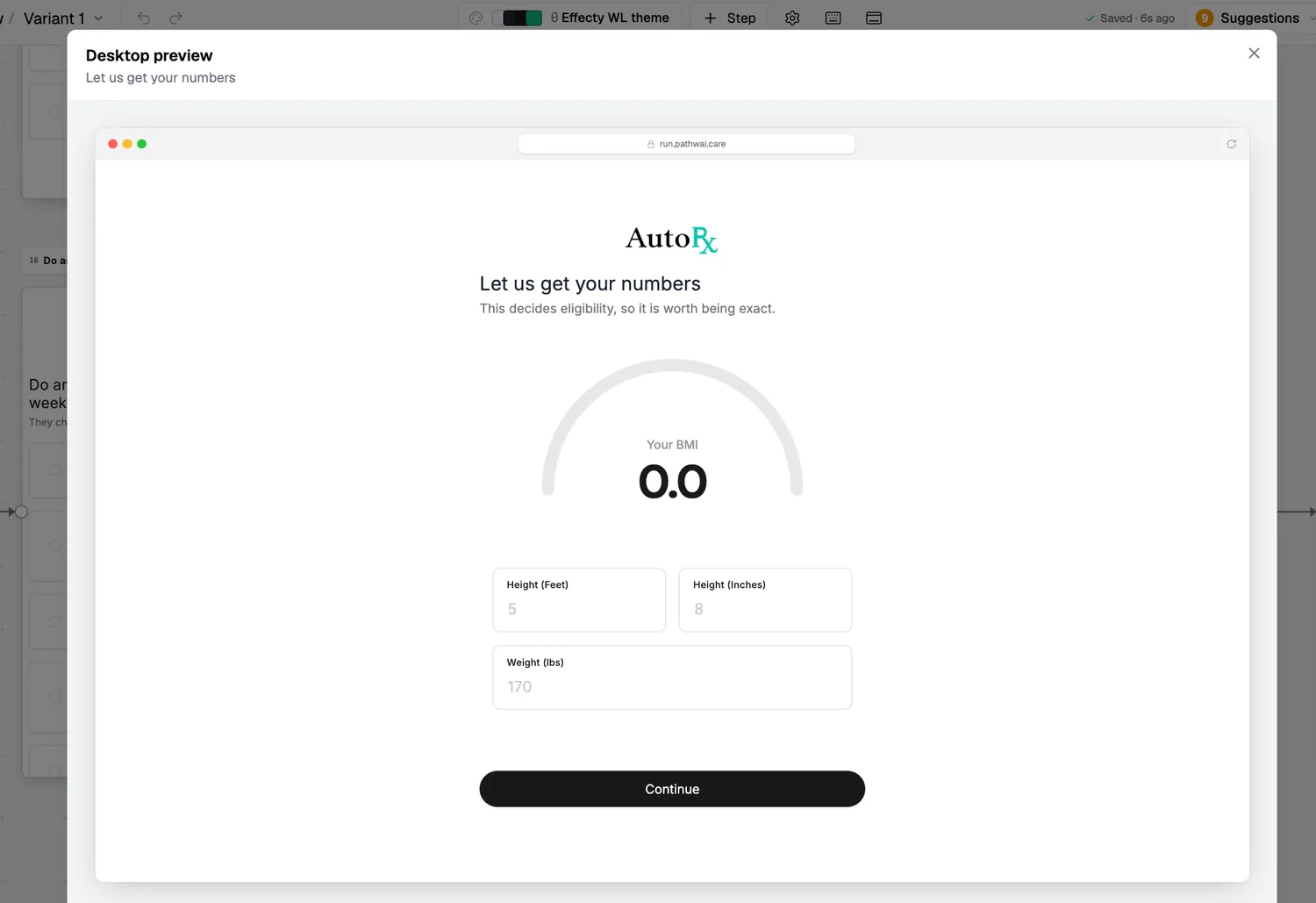
Multiple choice, yes/no, numeric, free text, date, file upload, and custom widgets. For health programs, we support structured fields common in clinical intake, medication lists, symptom checkboxes, BMI calculators, and screening instruments.
Can we add consent and disclosure steps?
Yes. Consent steps are a first-class step type. Patients must acknowledge before proceeding, and consent is timestamped and recorded alongside their intake data.
Is the builder built for HIPAA workflows?
PathwAI is designed for regulated health intake workflows. The platform supports HIPAA-oriented data handling, access controls, and BAAs on Enterprise. See the HIPAA page and security overview for details.
How long does it take to launch a first flow?
Most teams ship a working draft within a day or two of their demo call. AI generation significantly shortens the time from blank canvas to something reviewable.
See a flow built for your program.
We'll review your current intake process and show a working draft you can iterate on in one session.