
How to build a longevity clinic health assessment quiz
What a longevity assessment quiz should ask, how answers become a plan tier, where at-home labs and consent fit, and how to write results without health claims.
Written for operators and growth leads at longevity clinics, preventive health programs and wellness telehealth brands
A longevity clinic health assessment quiz should ask about goals first, then lifestyle, then medical history and any recent labs, and turn those answers into a recommended plan tier that a clinician confirms. The results screen explains why that tier fits, the next step is consent and (where your program uses them) an at-home lab kit, and nothing on any screen promises a health outcome. Your clinicians decide what the tiers are and who qualifies; the quiz collects what they need in an order people will finish.
What is a longevity health assessment quiz?
It is the first conversation a prospective member has with your program, run as a short online questionnaire. It does three jobs at once:
- Qualifies. It finds people your program is built for, and routes people it is not built for somewhere useful.
- Personalizes. It matches the person to a plan tier, membership level or starting protocol.
- Prepares the clinician. It hands your care team a structured summary, so the first visit starts with context instead of a blank chart.
A static form can do the third job. It does the first two badly, because every visitor sees every question and nobody sees a recommendation until a human reads the form. A quiz with routing and a results screen does all three before the visitor leaves the page.
What longevity programs assess
Most longevity and preventive health programs collect the same five groups of information. The order below is the order they should appear in the quiz, from easiest to most sensitive.
| Area | Example questions | Why it matters |
|---|---|---|
| Goals | What do you most want to improve: energy, sleep, body composition, cardiovascular health, cognitive health, healthy aging in general? | Sets the frame for the results screen and the tier |
| Lifestyle | Weekly exercise, strength training days, average sleep, alcohol, smoking or nicotine, diet pattern, stress | Gives the clinician a baseline and drives tier logic |
| Body measurements | Height, weight, waist, optionally a recent blood pressure reading | Common inputs for risk context; a BMI calculator can compute on the spot |
| History | Diagnosed conditions, current medications and supplements, family history of heart disease, diabetes, cancer or dementia | Flags who needs a clinician conversation before any plan |
| Labs and biomarkers | Have you had blood work in the last 12 months? Upload results? Willing to do an at-home kit or a lab visit? | Decides whether labs come first or are already in hand |
Two notes on wording.
Anchor lifestyle questions to something concrete. “Do you exercise regularly?” gets a yes from almost everyone. “How many minutes of moderate activity do you get in a typical week?” with ranges gets a usable answer. The CDC’s adult activity guidelines say adults need 150 minutes of moderate-intensity activity a week and at least 2 days of muscle-strengthening activity, which gives you natural cut points for the ranges. For sleep, the CDC’s sleep guidance recommends 7 or more hours for adults aged 18 to 60, which makes “under 6 / 6 to 7 / 7 to 8 / over 8 hours” a sensible set of options.
Keep the history section to what your clinicians will act on. Every extra question costs completions. If nobody reviews family history of a condition, do not ask about it.
The step structure
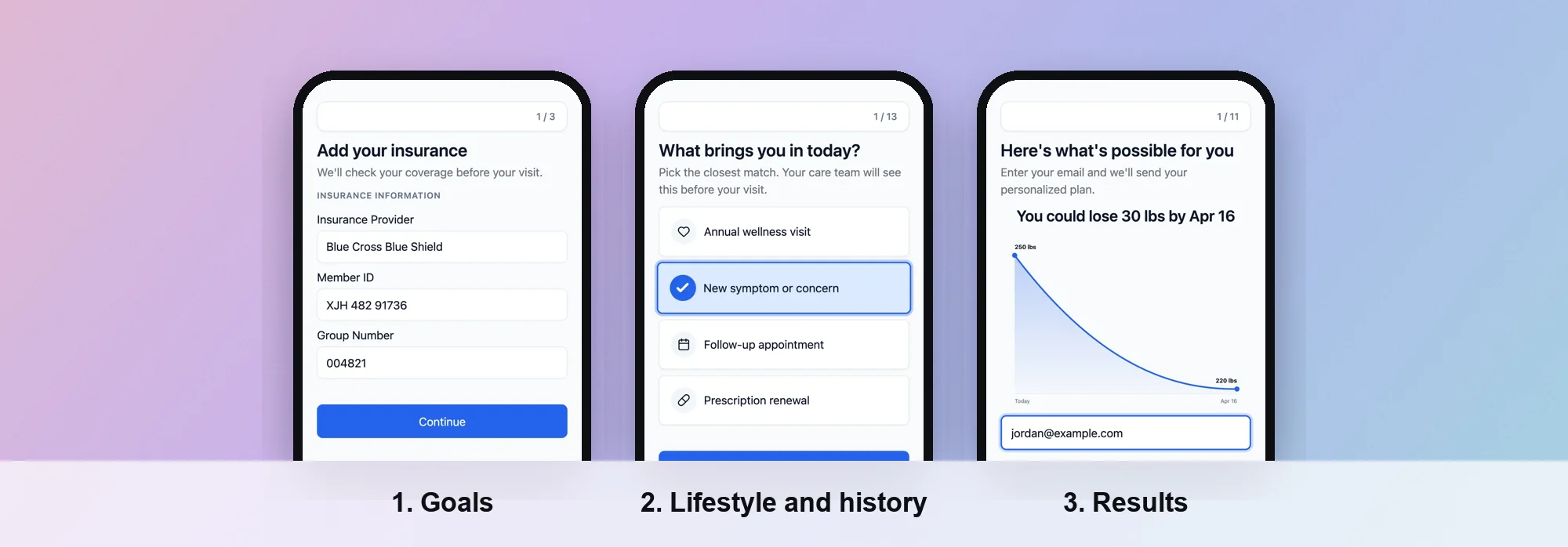 Screens from a PathwAI flow.
A structure that works for most programs:
- Goal picker. One screen, one tap. Let people choose up to two or three goals. This is the easiest question and the one that makes the rest feel relevant.
- Age range and sex. Many programs offer different panels or protocols by age and sex, so these come early.
- Lifestyle block. Activity, strength training, sleep, alcohol, nicotine, stress. One question per screen on mobile, or two short ones together.
- Body measurements. Height and weight with a BMI calculator, waist if your clinicians use it.
- History and medications. Conditions, medications, supplements, family history. Use a medication list field rather than free text where you can.
- Labs. Recent blood work yes or no. If yes, offer an upload. If no, ask whether they would do an at-home kit or a lab visit.
- Contact details. Email and phone, just before the results: the person has done the work and wants the answer, and you can follow up with anyone who stops at checkout.
- Results screen. The recommended tier, the reasons, and one clear next step.
- Consent. Terms, telehealth consent if care is delivered remotely, and consent to the lab order if one follows.
- Checkout or booking. Membership payment, a deposit, or a consultation booking, depending on your model.
The same skeleton appears in our TRT and HRT intake flow guide, where labs also decide a lot of the routing. The difference here is that a longevity quiz is usually top of funnel: many visitors are curious rather than ready, so the results screen does more of the selling.
Branches that matter
Routing is where a quiz beats a form. Common branches in longevity programs:
- Out of scope. A person who reports an active serious condition, or who is under your minimum age, sees a message pointing them to their own doctor or a different service, not a plan. Your clinicians write the criteria.
- Labs in hand vs labs needed. People with recent blood work upload it and skip the kit step. Everyone else is offered a kit or lab visit.
- Goal-specific questions. Someone who picked cognitive health gets two or three extra questions about it; someone who picked body composition gets questions about training and diet instead.
Scoring answers into a plan tier
Most programs sell two to four tiers, for example a foundational membership, a membership with comprehensive labs, and a premium tier with more clinician time. The quiz should land each person on one of them, with a reason.
There are two ways to do it.
Rule-based tiers. Write the logic as plain rules: “If the person has no labs in the last 12 months, recommend a tier that includes labs.” “If they chose three goals and report a family history flag, recommend the tier with more clinician time.” Rules are easy to explain on the results screen and easy for clinicians to review.
Points-based scores. Give answers points (for example, low activity adds 2, short sleep adds 2, nicotine adds 3) and map score ranges to tiers. Scores feel precise, but they invite the visitor to read the number as a health rating. If you use points, keep the score internal and show the tier and the reasons, not the number.
Whichever you use:
- Let clinicians own the logic. Tier rules are a clinical and commercial decision. The marketing team writes the copy around them.
- Never let a score diagnose. “Your answers suggest a plan with comprehensive labs” is a recommendation. “You are at high risk of heart disease” is a medical statement the quiz is not in a position to make.
- Keep an escape hatch. Some answers should route to a human conversation regardless of score.
The results screen
The results screen is where most longevity quizzes win or lose the sale. A good one has four parts:
- The recommendation. “Recommended for you: the Foundations plan with baseline labs.”
- Two or three reasons, built from their answers. “You told us you want better sleep and more energy, and you have not had blood work in the last year.”
- What happens next. “A clinician reviews your answers and your lab results, then builds your plan with you.”
- One call to action. Start membership, book a consult, or order the kit. Not three competing buttons.
No health claims
Results copy is advertising, and the FTC treats it that way. Its Health Products Compliance Guidance says claims about health benefits require “competent and reliable scientific evidence,” and that a marketer is equally responsible for claims “suggested or reasonably implied.” In practice:
- Do not promise outcomes: “add years to your life,” “reverse your biological age,” “prevent disease.”
- Do not present a quiz output as a measurement: no “biological age” from a questionnaire.
- Describe the service, not the result: what is tested, who reviews it, how often you meet.
- Have counsel review the results templates once, then let the routing pick between approved versions.
At-home lab kits and biomarkers
Labs are often the core of a longevity membership, and they are the step where flows lose the most time if they are bolted on afterwards. Three patterns:
- Upload existing results. For people with recent blood work. A file upload step keeps it in the same submission as the answers.
- Order a kit from the flow. After consent and payment, an order is placed with a lab testing provider, and the kit ships while the clinician reviews the intake. Junction is one provider whose site describes an API for lab ordering with at-home, in-person and mobile phlebotomy collection. The Junction integration page covers how that connects to a PathwAI flow.
- Book a lab visit. For panels that need a draw at a patient service center.
Place the order on a step that only qualifying, consenting, paying members reach. That way nobody gets a kit they did not agree to, and nobody gets one before a payment clears.
Consent and clinician review
Consent is its own step, not a checkbox buried in the footer. A longevity program usually needs:
- Terms of service and privacy notice.
- Telehealth consent, if care is delivered remotely.
- Consent to the lab order and to sharing details with the lab provider, if a kit follows.
- Separate, optional marketing consent.
Wording comes from your clinical and legal team. The quiz’s job is to make sure nobody continues without acknowledging it, and that the acknowledgment is stored with the answers.
After submission, a clinician reviews the answers and labs before any plan is final. Say so on the results screen. It is accurate, it sets expectations, and it keeps the quiz from reading like an automated diagnosis. For more on handling health data in intake, see our HIPAA intake playbook.
How to build it in PathwAI
- Describe the program to the agent. For example: “A longevity membership quiz with goal picker, lifestyle questions, BMI, history and medications, a labs question with upload, contact capture, a results screen with three tiers, consent and checkout.” The AI agent drafts the steps, the patient-facing copy and the routing. It is a draft: your team reviews it and nothing publishes without approval.
- Set the tier logic as routing. On the visual canvas, routing rules branch on any answer or combination of answers, so “no labs in 12 months” or “three goals plus a family history flag” each send the person to a different results screen. Out-of-scope answers route to a custom message.
- Use the right fields. Multiple choice for goals and ranges, numeric fields and a BMI calculator for measurements, a medication list for medications, file upload for existing lab results, and screening instruments if your clinicians use one.
- Add consent and checkout. Consent is a step patients must acknowledge, timestamped and stored with the intake. Payment runs through Stripe or Authorize.Net, and consultations can be booked with Cal.com.
- Publish and measure. Publish to a hosted link on your own domain or embed it on your site. Step-level analytics show where people drop off, and you can A/B test the results copy or the question order against a control.
- Track conversions without leaking health data. The Data Platform sends conversions server-side to Meta, Google, TikTok and Microsoft with hashed identifiers, only for visitors who consented, and strips PHI before any event leaves.
If you want to see the qualification pattern on its own first, the eligibility quiz page walks through it.
Checklist
- Goals come first and take one tap.
- Lifestyle questions use concrete ranges, not yes or no.
- History asks only what clinicians will act on.
- Labs branch: upload, kit, or lab visit.
- Contact capture sits just before the results.
- Tier logic is written by clinicians and readable as rules.
- Results show the tier, the reasons and one next step, with no outcome promises.
- Consent is its own step and is stored with the answers.
- Lab orders fire only after consent and payment.
- A clinician reviews every submission before the plan is final.
Frequently asked questions
What questions should a longevity health assessment ask?
Goals, lifestyle (activity, sleep, alcohol, nicotine, stress), body measurements, medical history and medications, family history, and whether the person has recent lab results. Ask only what your clinicians will use.
Should a longevity quiz show a health score?
Usually not. A number invites people to read it as a medical rating. Show the recommended plan and the reasons from their answers, and keep any internal score internal.
Can the quiz order at-home lab kits?
It can trigger an order with a lab testing provider once the person has consented and paid. Put the order on a step only those people reach.
Can a quiz tell someone their biological age?
Not responsibly. A questionnaire is not a measurement, and the FTC expects health claims to be backed by competent and reliable scientific evidence. Describe the service instead.
Who decides which plan tier a person is recommended?
Your clinicians set the rules; the quiz applies them and a clinician reviews the result before the plan is final.